Record a referral when you have a genuine introduction or opportunity for another member. A concise description is required; client and company details are optional.
Only include personal contact information when it is relevant and you have permission to share it with the recipient.
Step by step
Create the referral
-
Open the relevant group
Choose the networking group and open its Referrals area.
-
Select Log Referral
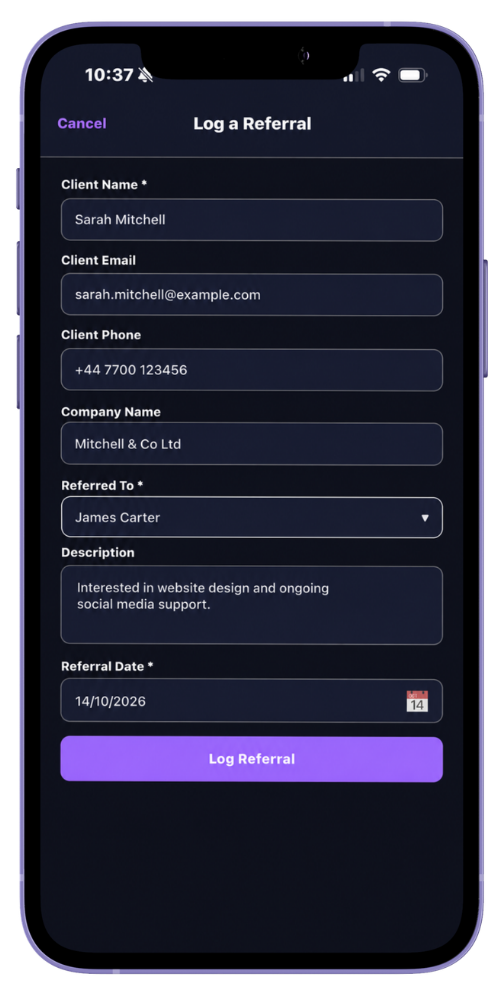
Start a new referral and choose the member who should receive it.
-
Describe the opportunity
Add a clear description of the introduction or next step.
Where appropriate, add the client name, company, email, phone and referral date.
-
Save the referral
The referral is recorded as logged and the receiving member is notified.
-
Let the recipient update progress
The recipient or a group administrator can later mark it accepted, in progress, won or lost. A won referral requires a recorded value.
Common questions
Before you begin
Is a client email or phone number required?
No. The description and receiving member are required; the other details are optional.
Who is notified?
The selected receiving member is notified when another member records a referral for them.