The challenge
Paper cards date quickly and are easy to lose
Networking depends on making it easy for people to follow up. A paper card can be misplaced, while a contact saved with incomplete details may not be recognised later.
Members also need a practical way to keep their own professional information current without asking an administrator to reissue anything.
How MyNetworx approaches it
One member-managed profile
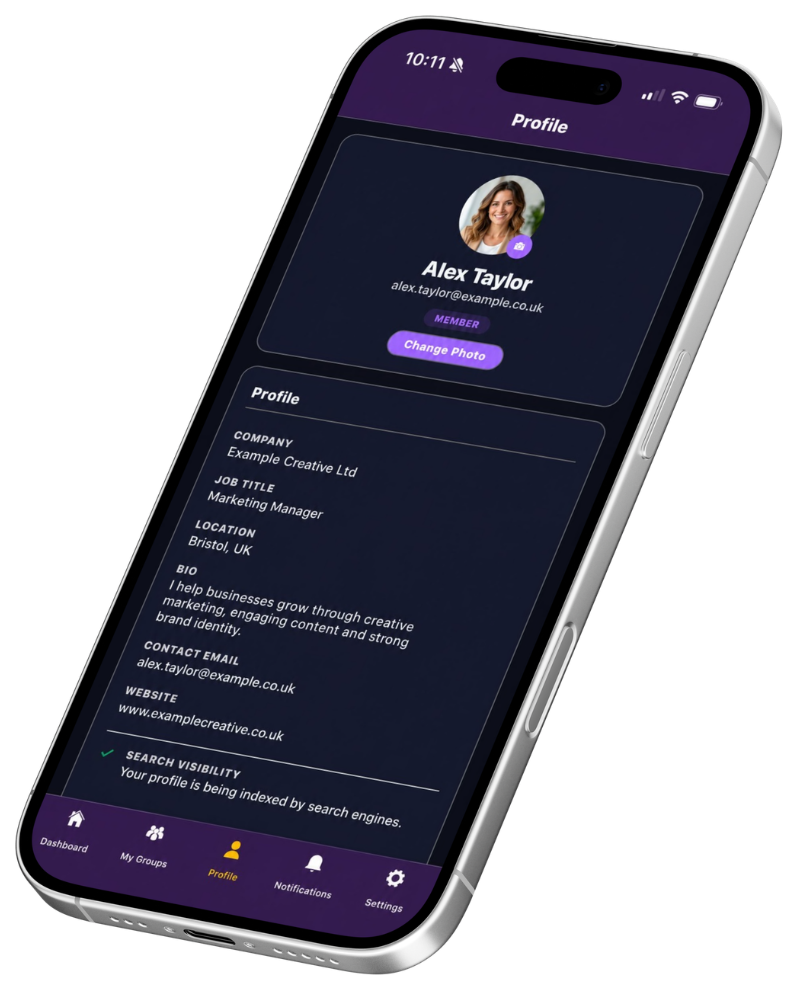
Members maintain their name, photo, company, role, contact details, biography and relevant web or social links in MyNetworx.
The profile has a stable public link. Members choose whether search engines may index it, while anyone with the link can open the profile and save the contact details as a vCard.
In practice
Useful at meetings and afterwards
The same profile supports face-to-face sharing and later follow-up.
Share a link
Use the phone’s normal sharing options to send the public profile link.
Show a QR code
Let another person scan the profile directly from the member’s screen.
Save the contact
A visitor can download the available details as a vCard for their contacts app.
Benefits
A profile members can keep current
Less rekeying
Contact details can be saved instead of typed from a card.
Member control
Members update their own profile and decide on search visibility.
Consistent identity
The same information supports the member directory and public sharing.
Common questions
Questions about this feature
Does someone need the MyNetworx app to view a shared profile?
No. The shared profile opens as a public web page.
Can a member stop search engines indexing the profile?
Yes. Search indexing is an option the member can turn on or off in their profile.