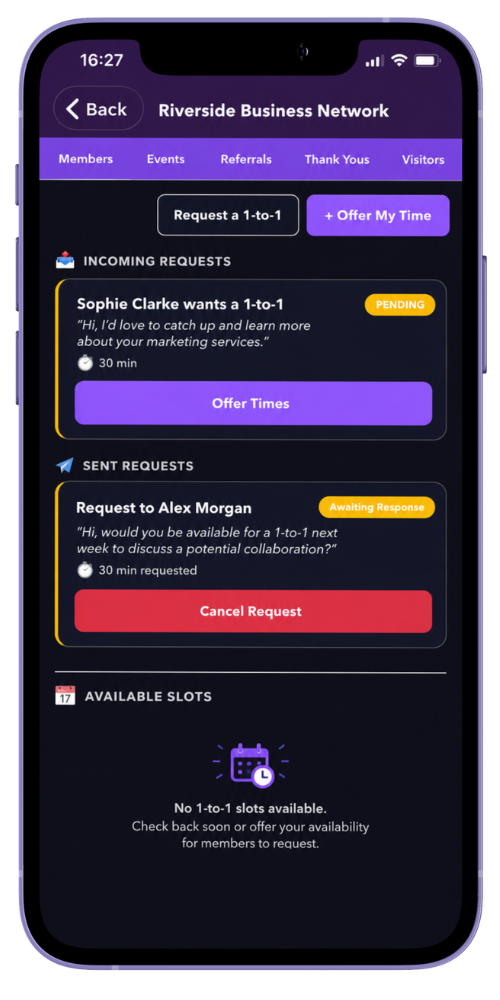
MyNetworx supports two ways to arrange a one-to-one. You can publish a specific available slot for another member to book, or send a direct request and ask the recipient to suggest times.
Meeting details are visible only to the relevant signed-in members and authorised administrators. Do not include information in the notes that the meeting does not need.
A direct request can contain up to three proposed times. The member who originally requested the meeting confirms the final option.
Step by step
Request and confirm a meeting
-
Open the group’s 1-to-1s area
Choose the networking group containing the member you want to meet.
-
Choose a scheduling route
Publish an available slot with a date and time for another member to book, or select a member and send them a direct one-to-one request.
-
Add useful meeting details
Set the duration and, where appropriate, include a location, video link or brief note.
-
Review the proposed times
For a direct request, the recipient can respond with up to three possible times and a location for each option.
-
Confirm the meeting
The requesting member selects one of the proposed options. A booked slot is confirmed through the slot-booking flow.
-
Check your upcoming diary
The confirmed one-to-one appears with upcoming events so both members can see what is scheduled.
Common questions
Before you begin
Can I book my own available slot?
No. Available slots are intended for another member in the group to book.
Can a confirmed meeting be cancelled?
Yes. A participant can cancel the relevant booking or request. Keep any cancellation reason concise and appropriate.