MyNetworx groups notification preferences by the activity they relate to, including events, groups, one-to-one meetings and referrals.
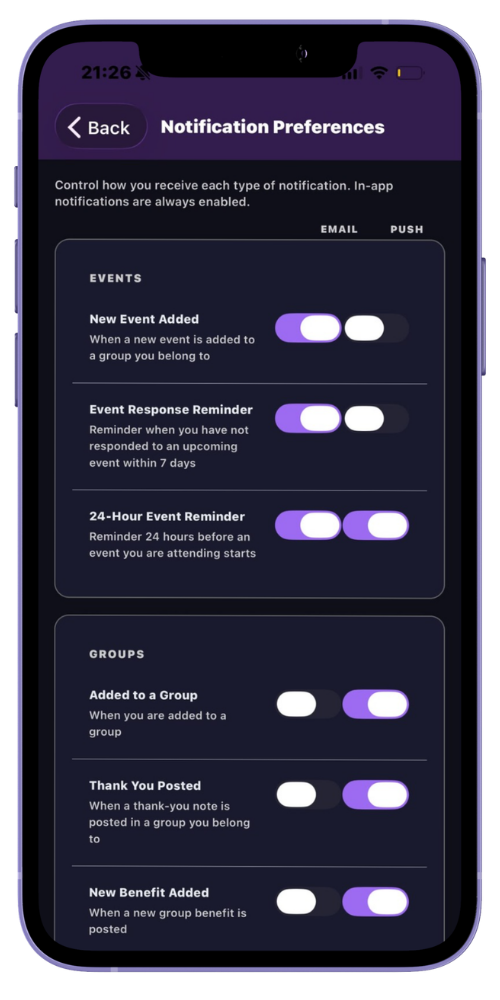
Email and push can be switched independently for each supported notification type. In-app notifications remain enabled so updates are still available when you open MyNetworx.
Step by step
Choose your email and push preferences
-
Open Settings
In the mobile app, open Settings and choose Notification Preferences. On the web, open the notification section in Settings.
-
Review each notification type
Read the short description to understand when the notification is sent.
-
Set email delivery
Turn email on or off for each supported update.
-
Set mobile push delivery
Choose which supported updates should appear as push notifications on your registered device.
-
Return to defaults if needed
Use Reset to Defaults to restore the standard email and push choices.
Common questions
Before you begin
Can email and push be controlled separately?
Yes. Each supported notification type has separate email and push settings.
Can in-app notifications be disabled?
No. In-app notifications remain enabled, while email and push delivery can be adjusted.