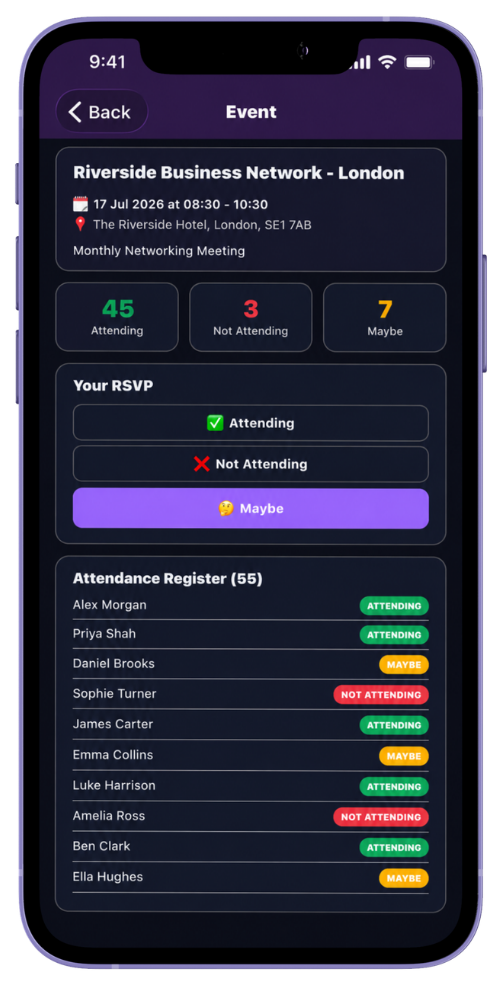
The event register combines member responses for the group. Members set their own response, while authorised administrators can review the complete list and correct a response where required.
This is a response register. Use your organisation’s normal process for any separate check-in or formal attendance record needed on the day.
Step by step
Review the event register
-
Open the event
Select the event from the group’s upcoming list or your diary.
-
Review the response totals
The event shows the number attending, not attending and marked maybe.
-
Open the member register
Administrators can see every approved group member, including people who have not responded.
-
Update a response if necessary
An administrator can set attending, maybe, not attending or return a member to no response.
-
Use the current view to prepare
Check the latest responses alongside planned visitors and presentation arrangements before the meeting.
Common questions
Before you begin
Can members change their response?
Yes. Members can update their response before the event. Administrators can also maintain responses where needed.
Are members with no response visible?
Yes. The administrator register distinguishes members who have not yet responded.