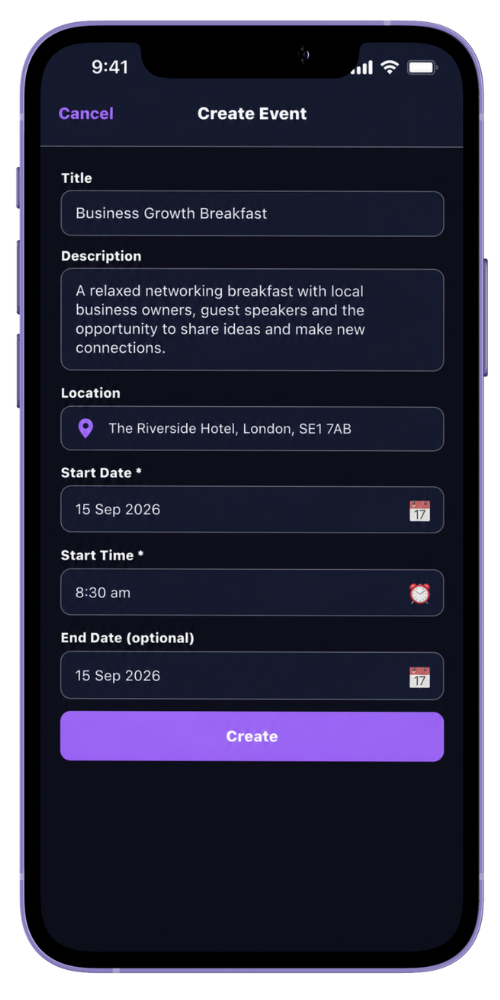
Group administrators can create events for the groups they manage. An event includes a title and start time, with space for a description, location and end time where needed.
When a new event is created, MyNetworx can notify other members of the group according to their notification preferences.
Step by step
Add an event to the group
-
Open the group’s Events area
Choose the group that will host the event.
-
Select Create Event
The event form is available to group administrators.
-
Add the essential details
Enter a clear title and start date and time. Add a useful description and location so members know what to expect.
-
Add an end time if needed
Include the planned finish where it helps members organise their diary.
-
Save and review the event
The event appears in the group’s upcoming events and in members’ upcoming diary. Open it once to check the details.
Common questions
Before you begin
Who can create an event?
A group administrator can create events for the group they manage.
Can event details be changed later?
Yes. A group administrator can edit the event title, description, location and times.